
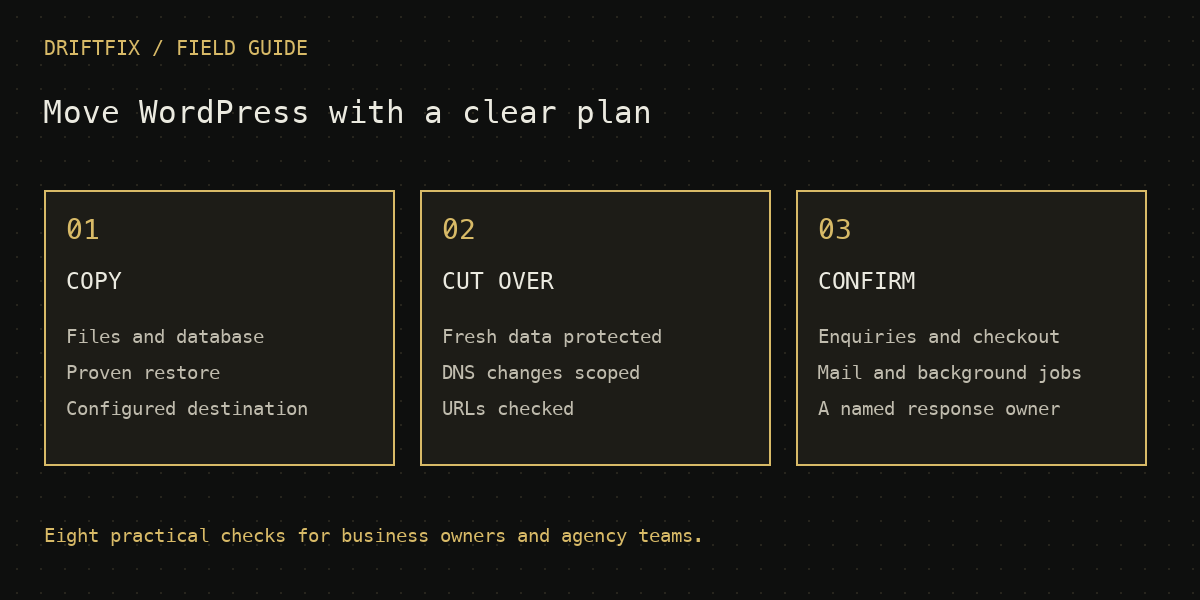
A WordPress migration checklist should protect three things: the complete site, new activity during the move, and the customer journeys that must work afterwards. Before changing DNS, verify a restored copy, agree how fresh submissions or orders will reach the destination, and define when you would stop or roll back.
This guide is for business owners and agencies moving an existing WordPress site to new hosting. A new domain introduces additional redirect and search checks. WooCommerce, subscriptions and external integrations need their own cutover plan; a homepage loading successfully does not prove that the move is complete.
Jump to: Scope · Backups · Rehearsal · Fresh data · URLs · DNS · Testing · Monitoring.
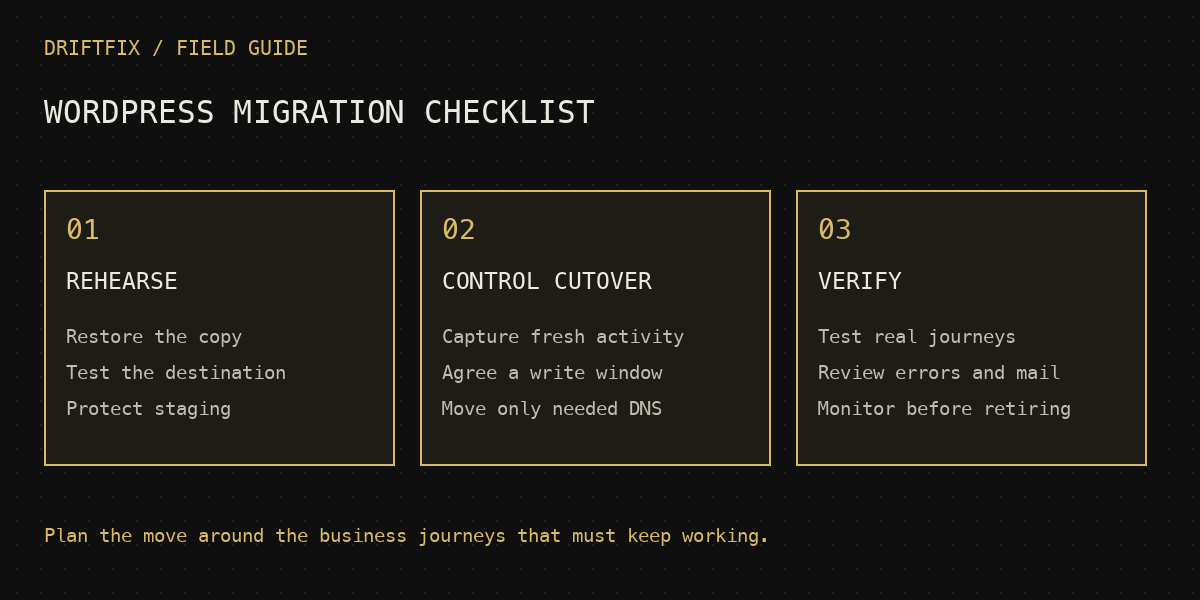
1. Define the WordPress migration checklist and its owner
Write down what is changing. Is this a hosting move with the same domain and page addresses, or are the domain, directory structure and design changing too? List the source and destination, the person approving the launch, the person handling DNS and the person checking forms or payments.
Inventory the features people actually use. Include enquiries, account access, downloads, search, languages, bookings and checkout. Note background jobs, payment notifications, CRM connections and mail delivery. Record versions and licences without putting passwords or customer records into a shared checklist.
WordPress’s migration documentation covers moving files, databases and site addresses. Use the procedure that matches the installation. A multisite network or a WordPress installation in a separate directory needs more planning than copying a simple single-site setup.
2. Prove that the backup can be restored
Confirm the backup includes the database and the files the site depends on, including uploads and custom code. Keep a protected copy independent of the account you are moving. Record when it was taken and which site it represents; a folder named “latest” is weak evidence when several people are working.
Restore a copy into an isolated test environment and check representative pages and functions. Confirm that media and necessary configuration are present. If the restore fails, solve that before the cutover. A successful backup job and a usable restored website are different checks.
For a store, read WooCommerce’s backup and restore guidance. A backup can be older than current orders. Restoring it blindly can remove activity that happened after the snapshot, so the age of the data belongs in both the migration and rollback decisions.
3. Rehearse on the destination before sending traffic there
Test the destination’s PHP environment, database connection, storage and required extensions. Check whether the host supports the features your plugins use. Resolve configuration differences on the test copy rather than discovering them when visitors arrive.
Protect the test environment from unintended public access and indexing. Prevent it from sending customer emails or triggering real integrations. Work with the host on a preview method that lets you test the intended hostname, HTTPS and redirects where possible. A temporary preview address can hide hostname-dependent problems.
Google distinguishes hosting changes without URL changes from domain or path moves. Its guidance includes testing pages, media, forms and downloads before switching traffic. Preserve the site’s search verification method as part of the destination copy.
4. Decide what happens to new orders and submissions
Agree the final transfer window and the period during which writes must stop or be reconciled. Assign one person to confirm the final database copy and the latest accepted order or enquiry. The source and destination should not become independent live systems accepting activity that nobody later merges.
For a brochure site, the changing data may be contact submissions or content edits. For WooCommerce it can include orders, customer accounts, stock and payment-related state. Pause the relevant activity or use a migration approach designed for that workload. Record how delayed provider notifications will be handled. Our guide to moving a WooCommerce store without losing orders walks through the final sync and payment reconciliation.
Do not assume a database rollback is harmless after the new site has accepted orders. First preserve and reconcile new activity with the payment provider and fulfilment team. Depending on the failure, a scoped repair can be safer than replacing the entire database with yesterday’s copy.
Subscriptions deserve specialist handling. WooCommerce Subscriptions’ restore guidance explains problems around missing data and unsupported export/import approaches. Follow the extension’s current instructions instead of treating subscriptions and payment tokens as ordinary page content.

5. Check addresses, links and the search plan
If the public domain and paths stay the same, keep those addresses consistent. If they change, map important old pages to their relevant new destinations. Include images and downloadable resources people may already have bookmarked. A mass redirect to the homepage does not preserve each page’s purpose.
For URL-changing moves, Google’s site move guidance recommends relevant permanent redirects, updated internal links and correct canonical URLs. Check the sitemap and remove temporary indexing restrictions from the production destination at launch. Domain moves may fluctuate in search while pages are reprocessed; nobody can guarantee unchanged rankings.
Database address changes need a tool that understands the stored data. The official WP-CLI search-replace documentation describes handling serialized values and a dry-run option. Have a developer inspect the scope and a backup first. Do not run an unrestricted replacement across a shared database just because an example command exists.
If the destination repeatedly sends visitors back to an earlier URL, follow our WordPress redirect loop troubleshooting guide to trace the chain and isolate the conflicting rule.
6. Change only the DNS records the move requires
Record the current configuration and the destination values supplied by the host. Decide whether the move changes website records, nameservers or other services. Mail delivery may live elsewhere. Replacing a DNS zone without preserving its email records can break business communications even when the website works.
DNS caches mean different visitors can temporarily reach different servers. Plan for that overlap when controlling writes. Use the provider’s guidance for record timing, keep the old environment available during verification and monitor both sides. A low TTL does not make every cached record disappear instantly.
Check the certificate on the destination for the real production hostname. Confirm that the expected HTTPS address works without a warning and that redirects lead to it. Avoid combining a hosting switch, redesign and unrelated plugin upgrades in the same change window.
If the HTTPS destination still requests insecure images, styles or scripts, use our WordPress mixed content repair guide to trace the resource back to its saved or generated source.
7. Test journeys, not only the homepage
Use the same acceptance checks before and after the move. Open a landing page, a deeper service page, media and a download. Submit an authorised test enquiry and verify the receiving result. Check navigation, search, login and any private account area relevant to the business.
For stores, rehearse payment scenarios on staging using the gateway’s supported test environment. WooCommerce’s testing-order documentation notes that test orders can trigger emails and other integrations. Isolate those effects; do not assume another extension can distinguish a test from a real purchase.
Our checkout troubleshooting guide helps separate payment from order confirmation. If a notification is missing, follow the WooCommerce email investigation. Record actual outcomes rather than marking “tested” because a button could be clicked.
If the destination shows a fatal-error message, follow our WordPress critical error recovery checks to preserve evidence, review logs and verify the original failing request before changing unrelated settings.
Before rehearsing the destination, use our WordPress staging site safety checks to restrict access, contain outgoing integrations and plan which changes can be deployed without replacing fresh live records.
8. Monitor the destination before retiring the source
Review server errors, form results and store activity after launch. Compare expected URLs and redirects with the checklist. Look for missing media, stale cached content and background jobs that no longer run. Revisit the busy or unusual journeys that were difficult to reproduce during rehearsal.
Agree a clear handoff: who responds to a missing enquiry, who checks a payment mismatch and who can approve a rollback? Keep the evidence and host details available to those people. Retire the old hosting only after traffic and business functions have been verified and necessary records preserved.
Need help with a WordPress migration checklist?
DriftFix provides WordPress migration and hosting support from George, South Africa, working remotely with businesses and agency partners. We can help scope the move, rehearse the destination and investigate issues during verification.
Tell us what is moving and which journeys must keep working. Include the current host, intended destination and whether the site accepts orders or bookings. Arrange credentials separately through a secure channel.
Researched against the linked official documentation on 5 October 2026. This checklist supports planning; the exact migration method depends on the site’s architecture, extensions and hosting configuration.